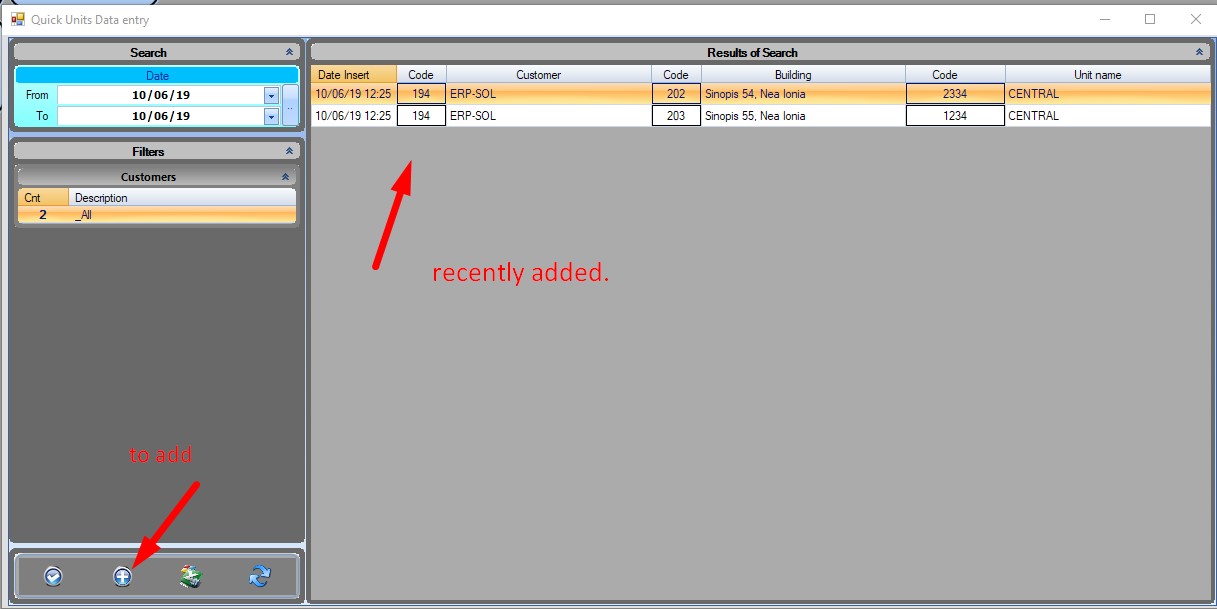
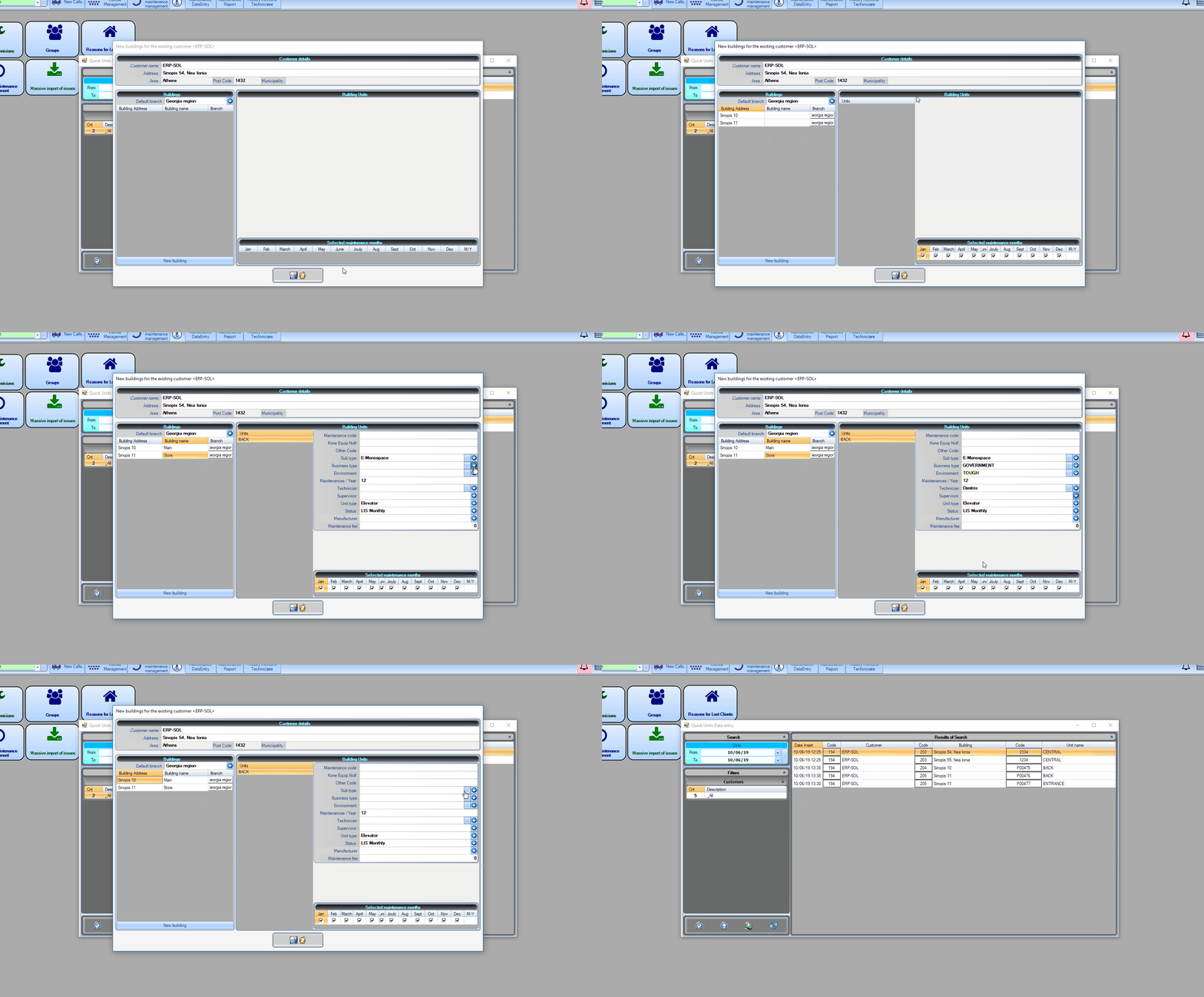
The first thing you will see is all the recently added elevators. To add new data click the + button on the bottom left of the form.
The form.
First you have to select the sector (branch) the buildings of this customer belong. If the customer has buildings that are managed by other branches, you have the option to change that per building.
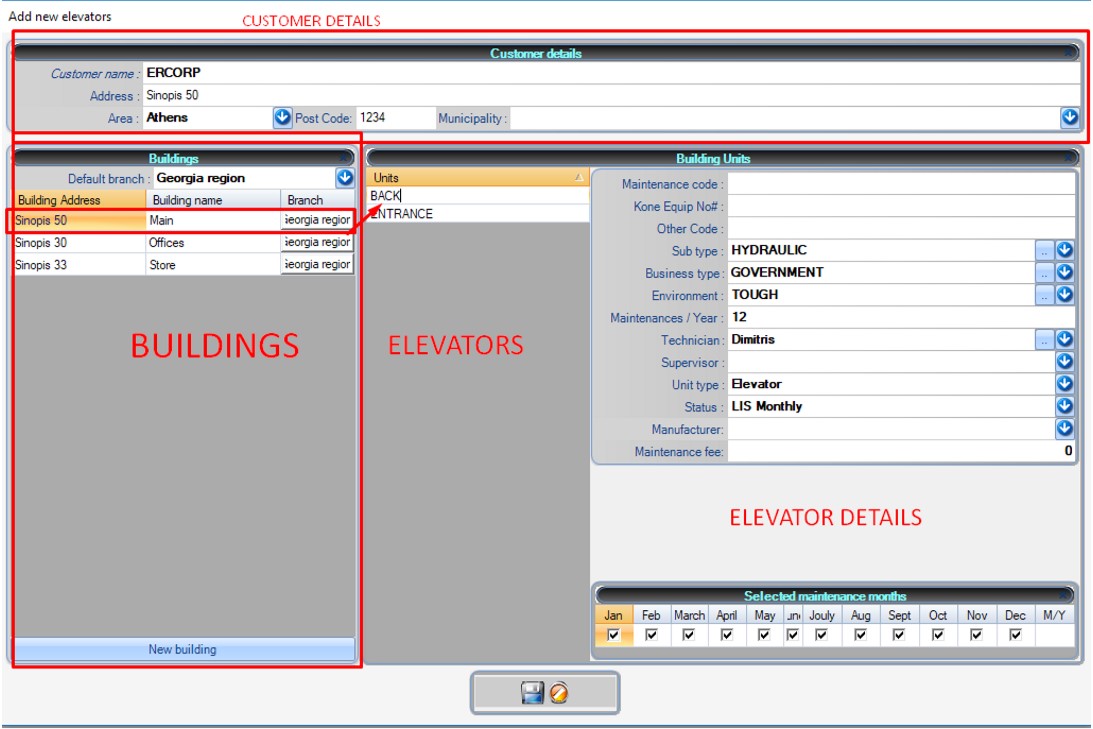
The form is divided in three parts:
Customer: Contains some basic details for the customer.
Buildings: The buildings of the customer
Elevators : The elevators of the selected building
Add the customer.
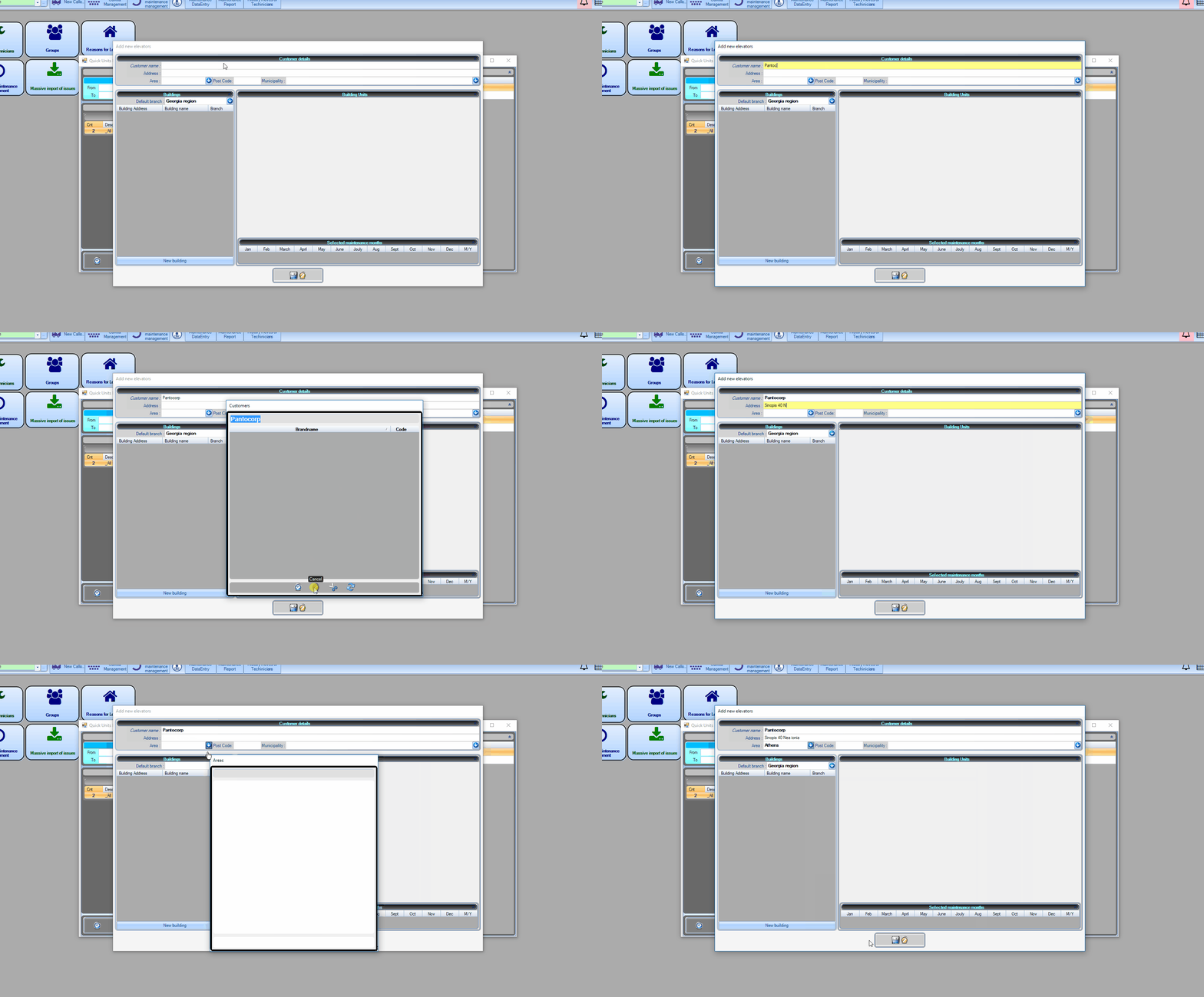
You will have to enter the customer details. After you type the customer name, winlift will search if there is any customer with that name in the database. It will open a window with the results.
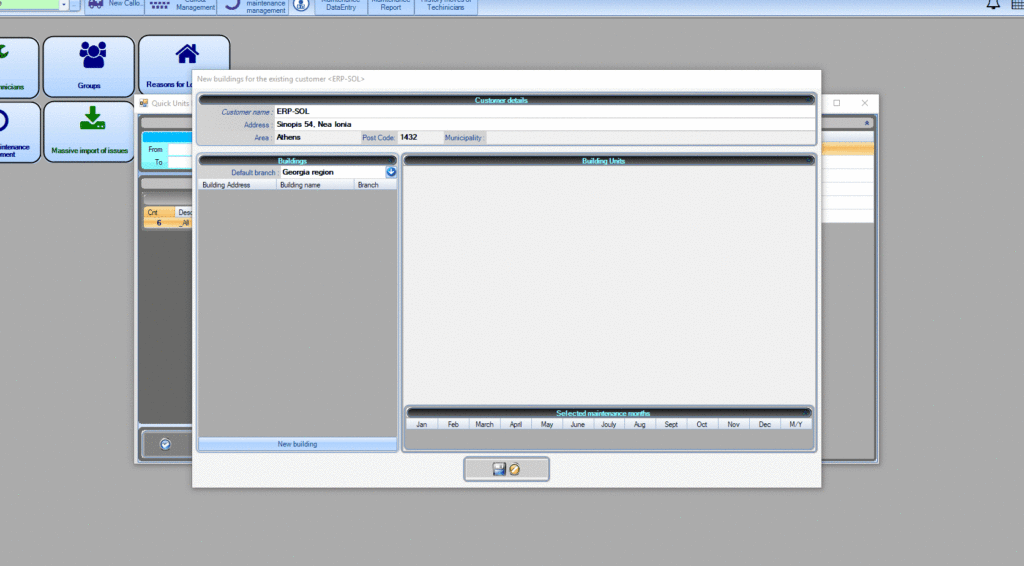
If the customer you want is already registered Choose the existing customer, hit the tick button (ok) and then just append new buildings and units to it.
If the results are empty or you want to either way create a new customer, click cancel and return to the form.
Add Buildings.
After you have entered the customer details. You can add new builidings.
Right click on the building area and select add one building or many buildings.
By double clicking on the address field or the name field you can edit the fields respectively.
When you click on one building. The elevator part will display the elevators that you have added to this building.
Add Elevators.
You can add elevators to the selected building by right clicking within the elevator part of the form. Maintenance Code is optional, you can specify it yourself if you want, otherwise WinLift will automatically put one. Other Code is a secondary code that you can use
Sub Type [LIST]: ex: Mechanical
Enviroment [LIST]: Touch, etc.
Bussiness type [LIST]: The type of building elevator the elevator belongs. Ex: Hospital.
Maintenances per year: How many maintenances per year is performed to the elevator
Selected Maintenance months: The months that the maintenances are performed. The number of maintenances are distributed equally within the selected months. If you check 12 months here and 24 maintenances per year then maintenances will be performed twice per month (same if you have selected 6 months or 12 maintenances per year).
Technician: The technician that is responsible for the maintenance. (if of course you have a specific technician devoted to specific buildings)
Supervisor: The supervisor that his building belongs to.
Elevator type [LIST ]: Elevator, Escalator, etc.
Maintenance fee: how much the maintenance costs (you can omit that )