
Quick Customer/Building Search
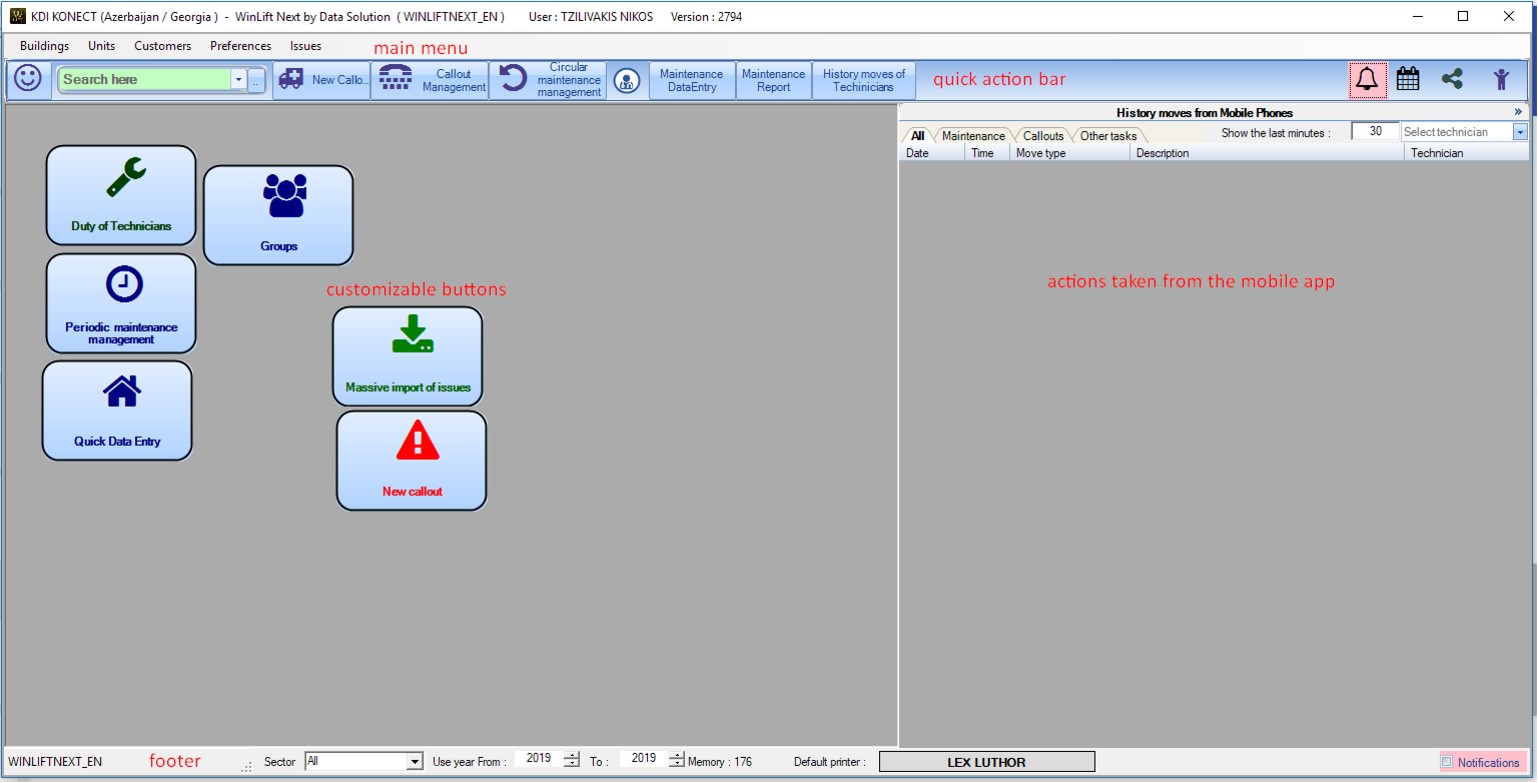
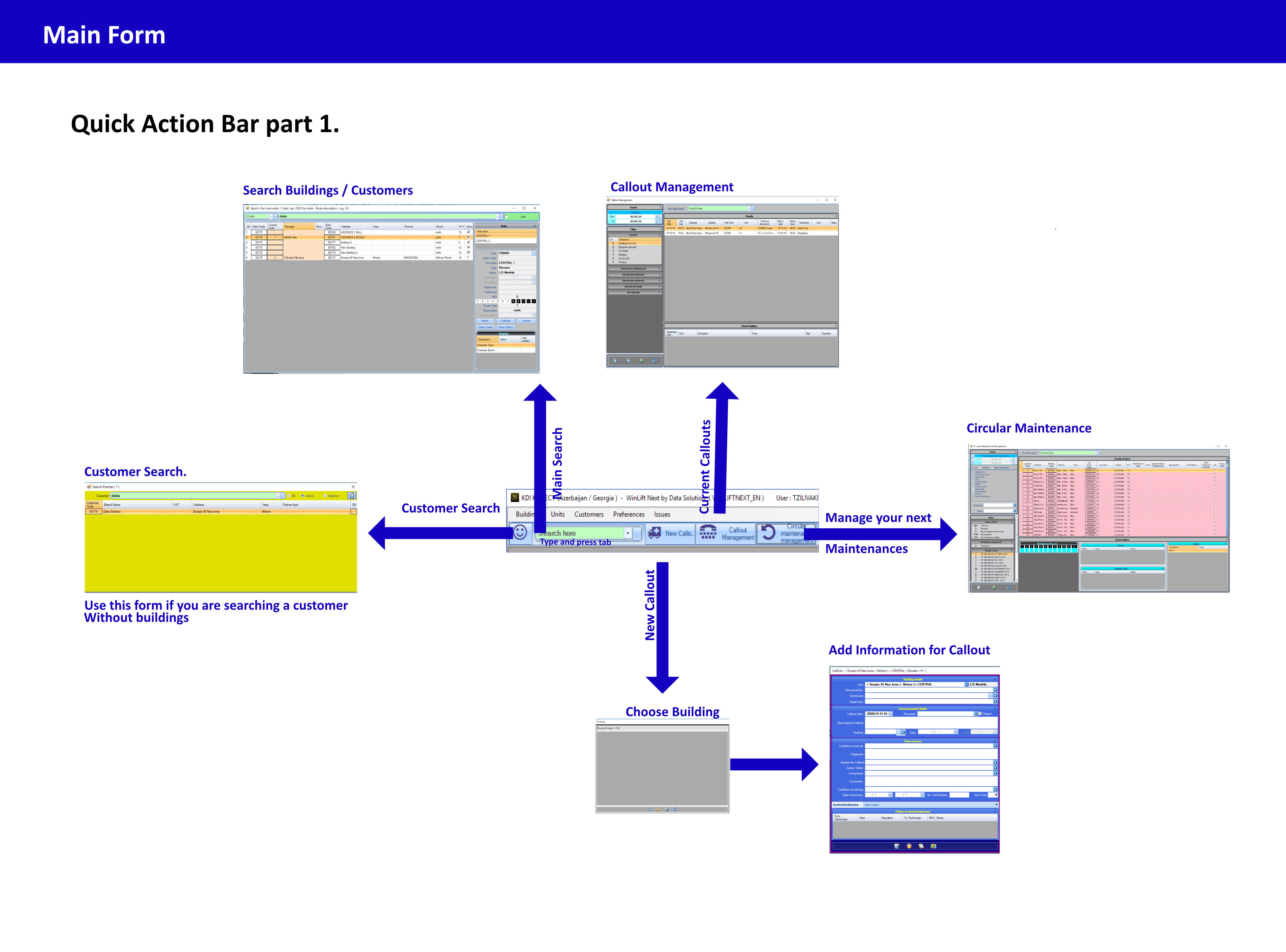
From the green field you can quickly search buildings / customers that have buildings attached to them. If you want to search through customers with no buildings use the smiley face.

New Callout.
Well this is pretty much self explanatory, this is what you use to quickly add a new callout to an elevator. You will be first promted to search for the building then you will input the information of the callout.
Circular maintainance management
Manage the maintenances that you have to do next. WinLift automatically recalculates the dates for you but you can edit them and appoint technicians from there.

Callout Management.
Your overview of all of your current open callouts. You can filter everything according to your needs (you can also print them from there)
Manually add your maintenances.
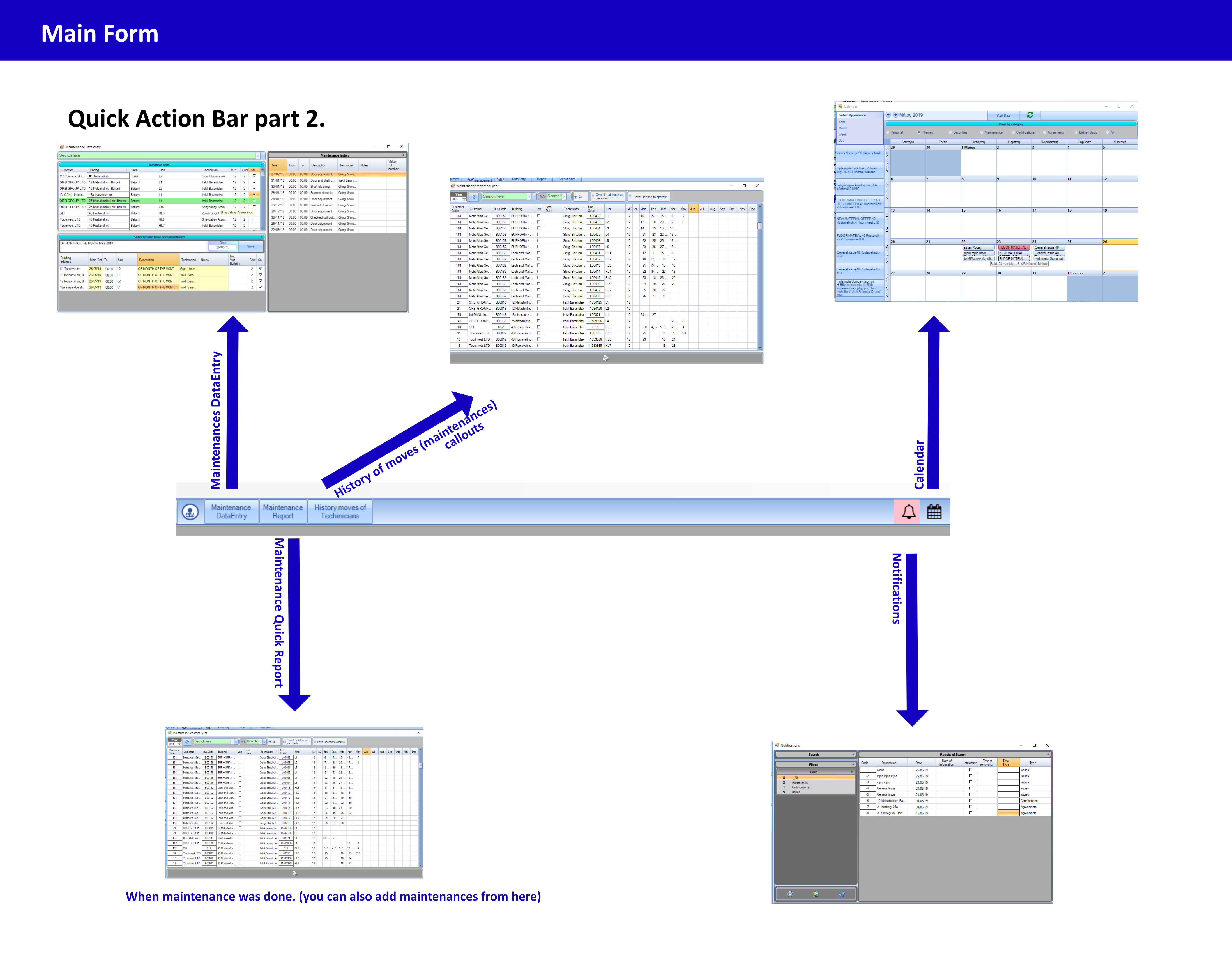
That's useful if you are not using the mobile application, because you can massively add new maintenanes manually to your elevators.

Monthly overview of maintenances.
From here you are able to see when each maintenance was done in which elevator.
History of technicians.
Everything that your technicians did. Maintenances, etc. You can also use this as an overview data grid for callouts - maintenances - closed issues.

Calendar.
Is there anything that is scheduled, or already done at some date? for example, issues, maintenances, callouts, etc. It will display here.

Notifications
You will recieve notifications on new issues/certificate expirations that needs renewal and personal appointments. (hey