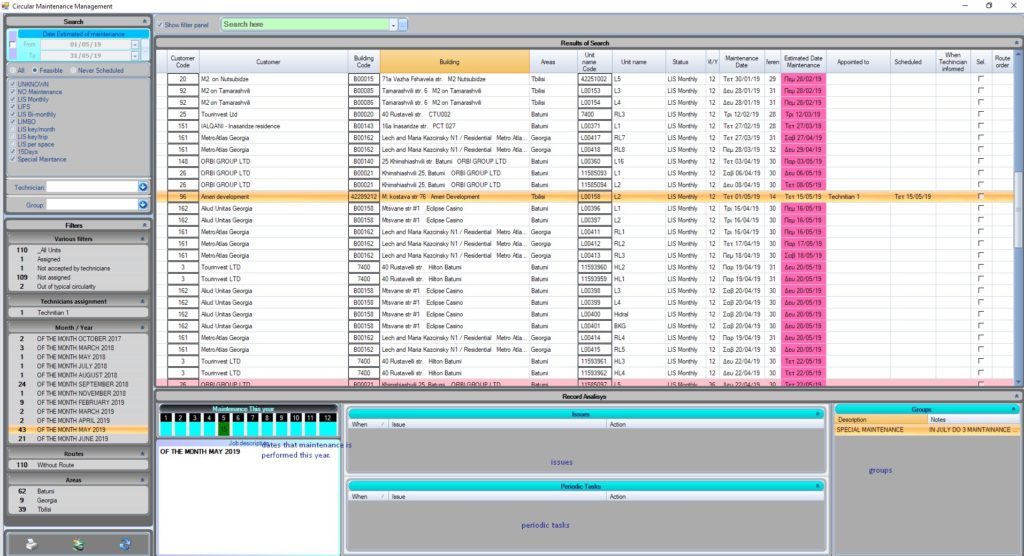
For Circular Maintenance to work, it needs at least one maintenance registered to a lift,otherwise the system will not know how to begin scheduling the corresponding unit/lift.
Circular management is an automated way of rescheduling maintenances without any need for intevetion. It will automatically calculate an estimated day, based on the elevator’s maintenance frequency.
Periodic maintenances
When you are creating your elevators or editing them, you can choose how many times per year the maintenance will take place and which months. For example, if you have chosen 24 times/year, and have enabled 6 months, it will automatically assume that you will be having a maintenance twice per month. Choosing 12 times/year and 12 months, automatically schedules maintenance once per month, and so on.
Our experience has shown that setting specific days way ahead of the maintenance is not practical because it is never – or almost never – being followed. Most elevators have specific months and a very specific frequency of maintenances. There might be a few that might also require additional scheduled maintenances within a month, we will cover these too.
How it works
How circular management works
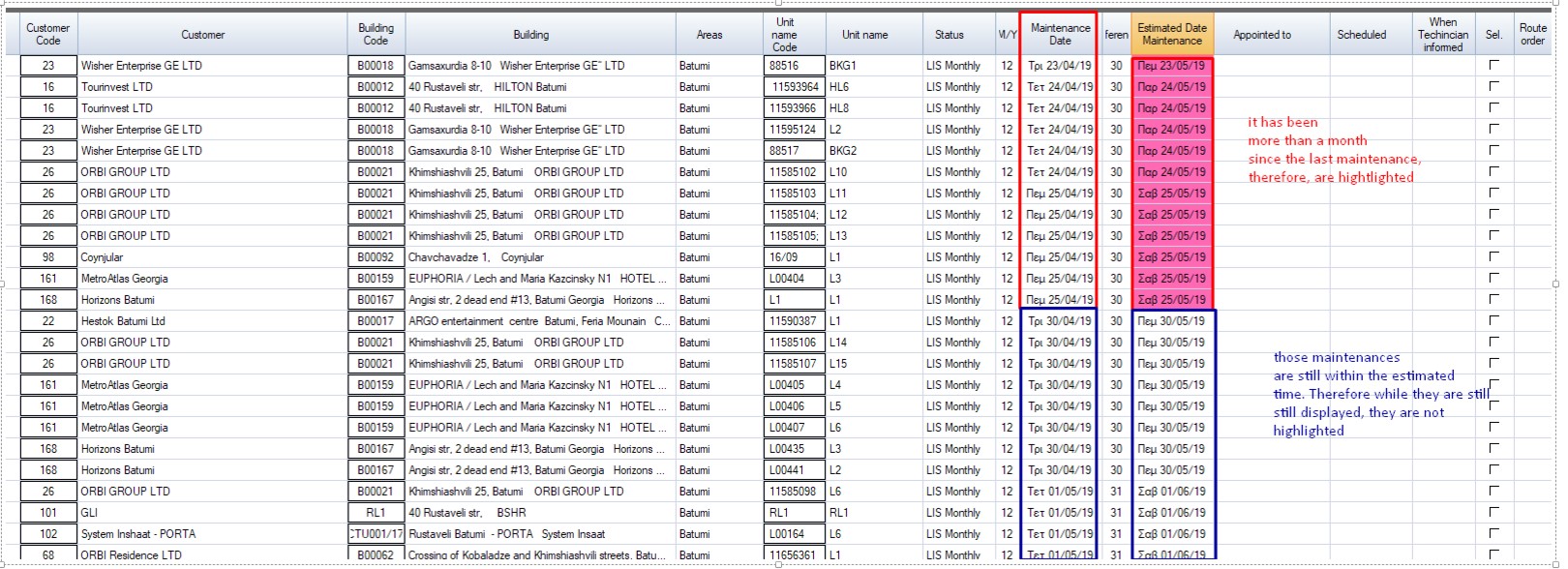
If there are 12 maintenances per year and 12 months checked, it will always reschedule the next maintenance exactly one month later (30 days).
For example: Maintenance was performed at 12/5/2019. The next maintenance that the circular management will schedule will be at 12/6/2019.
If this date has passed then the circular management will highlight the maintenance.
If for some reason the maintenance happened earlier than expected or got scheduled for later than expected, it will also get highlighted. (this is also a way to manage irregular additional maintenances in a month, see more below)
You don’t have to follow the maintenance date completely. It is only an estimation, it works as a way to show you the next maintenance. You can appoint the maintenance to a date of your liking.
Assign technicians
How to assign technicians
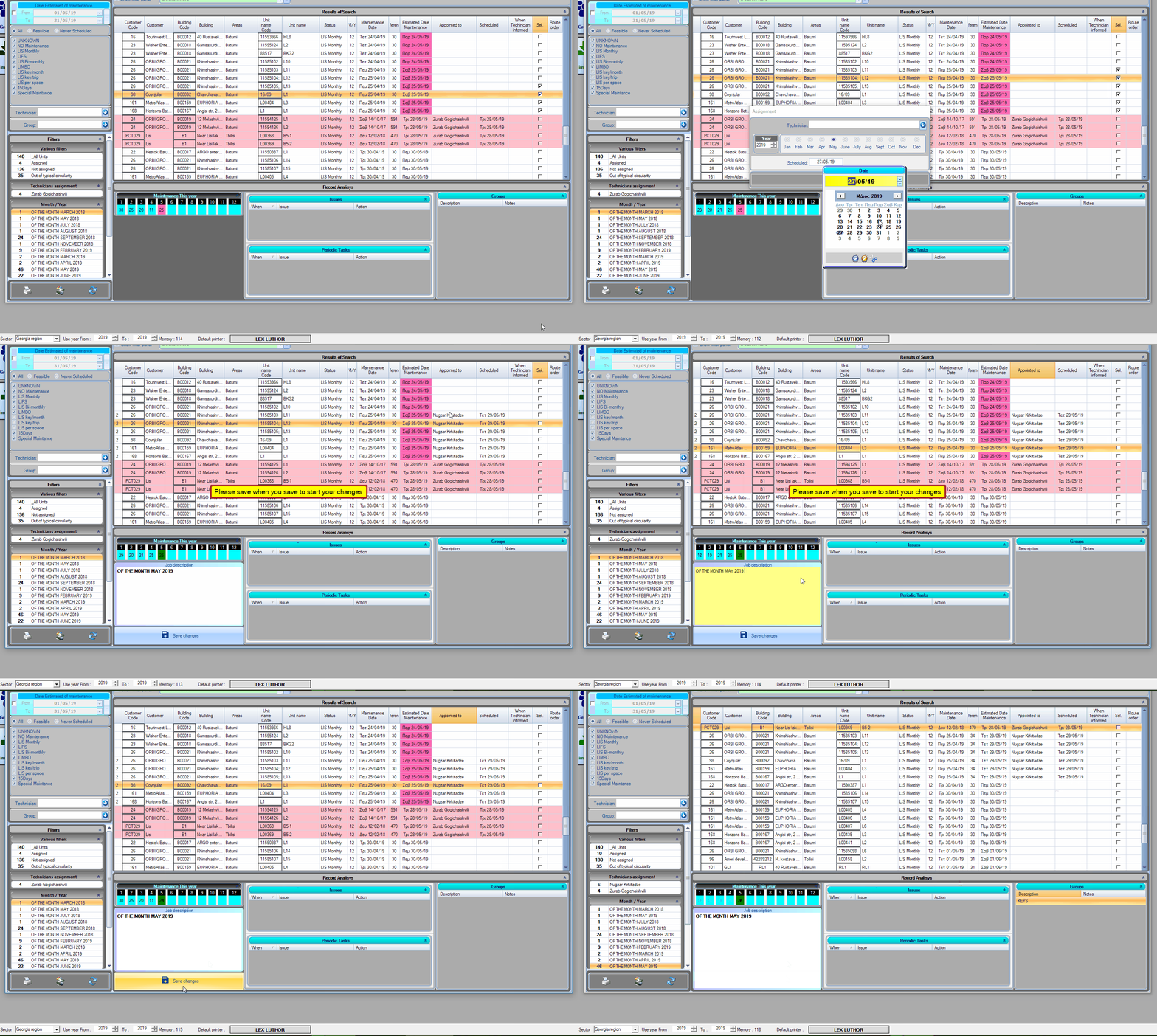
Check the “sel” box of the maintenances you want.
Right click on the checkbox column.
Click “assignment” and choose the date of the maintenance and the technician.
You can edit the description of each maintenance on the record analysis section.
Finally, click on save changes.
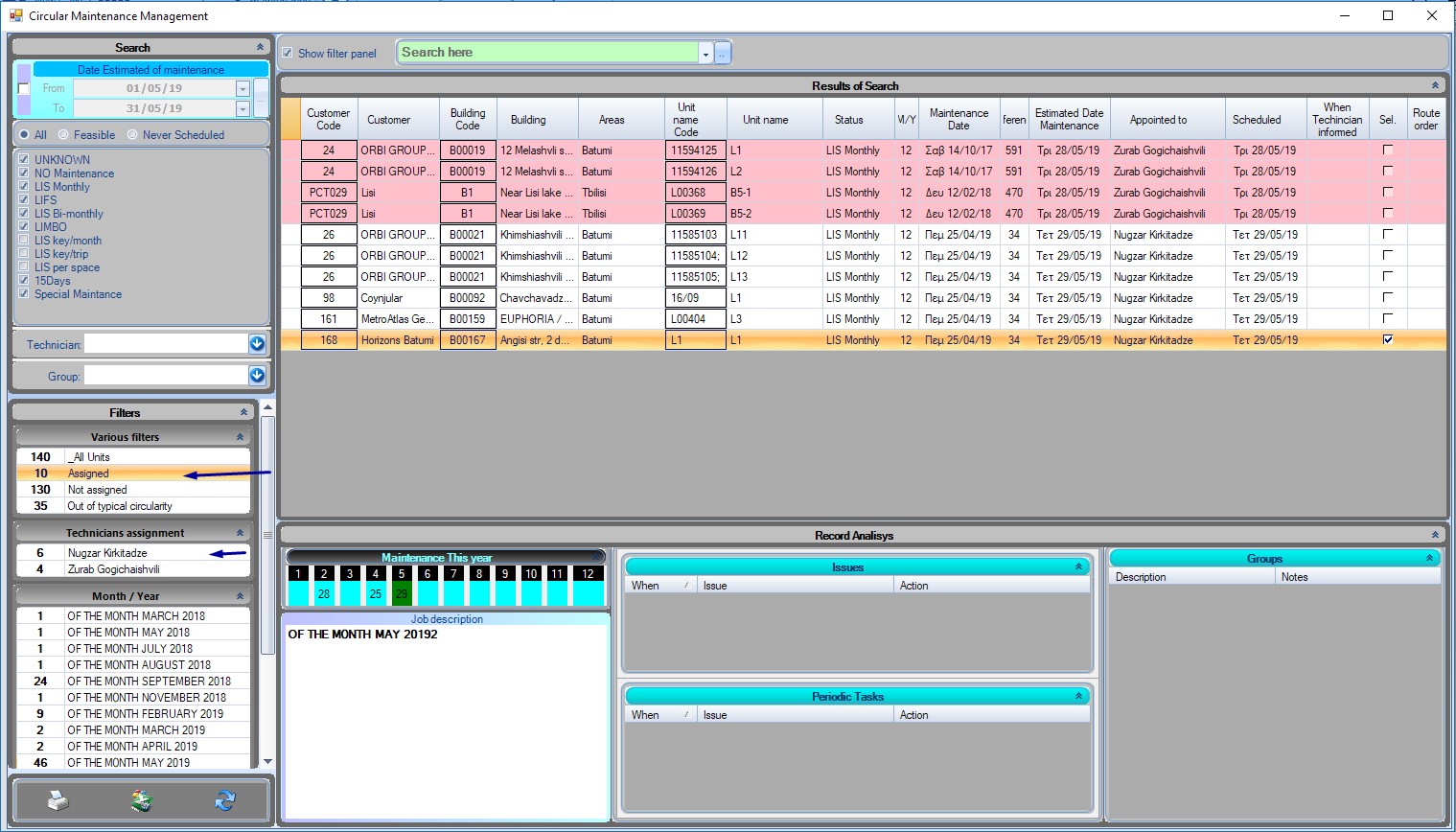
You can also filter the scheduled maintenances, or filter them by appointed technicians.
Did you know? Export to excelBy pressing ctrl + E you can export the content of any focused table. Here, you could easily export and print the appointed maintenances.
How to manage irregular maintenances
How to manage irregular maintenances.
If for whatever reason you have buildings that have more than one maintenance on some months, you can use groups to display this information.
When the maintenance date for this building comes, manually reschedule it within the same month. It will also be highlighted since it will be out of its frequency.
You can also filter this maintenance from the group filter on the sidebar. To clear the group filter, right click on it and select cut.