A callout is a customer call about a malfunction of a unit/lift. There are two types of callouts, open and closed. A new callout is always open. When a callout condition is being set to “Equipment running, back to normal operation”, the callout becomes closed.
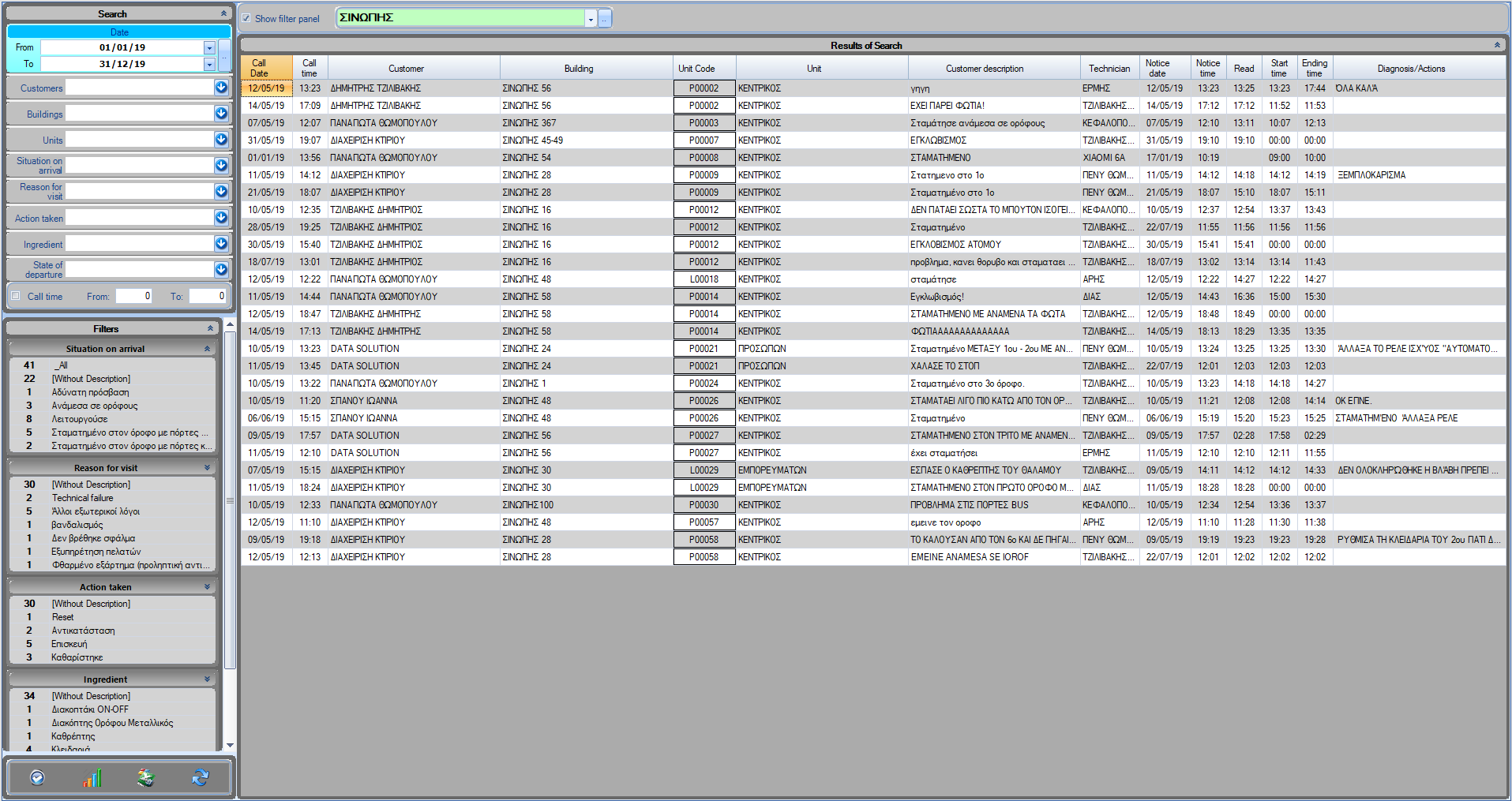
The callout statistics form shows a list of all the closed callouts.
Call date/time: The date and time that the callout was registered.
Customer description: The description shown in the callout form.
Technician: The technician responsible for maintaining the unit/lift.
Notice date/time: The date and time that the technician was notified.
Read: The time when the technician saw the notification.
Start/Ending time: The starting and ending time of the repair.
Diagnosis/Actions: The diagnosis of the technician that was added from the technician mobile application.
Selecting a callout and double clicking shows up the callout form.
Search
Filters
Filter statistics
Search and Filters
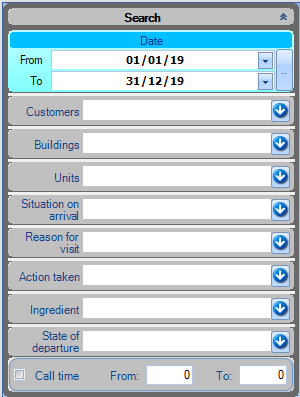
Search
You can search for callouts based on the call date. By clicking on the “…” button, the advanced search will show up.
You can also search based on the callout information, like the customer name, condition on arrival, the call time etc.
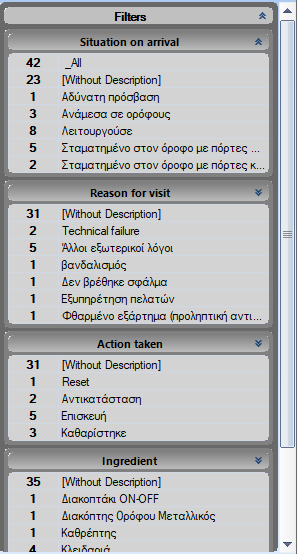
Filters
Filters are being used to group together results. In this form, we can group together callouts based on the callout form fields like condition on arrival, reason for visit, action taken, component and condition on departure.
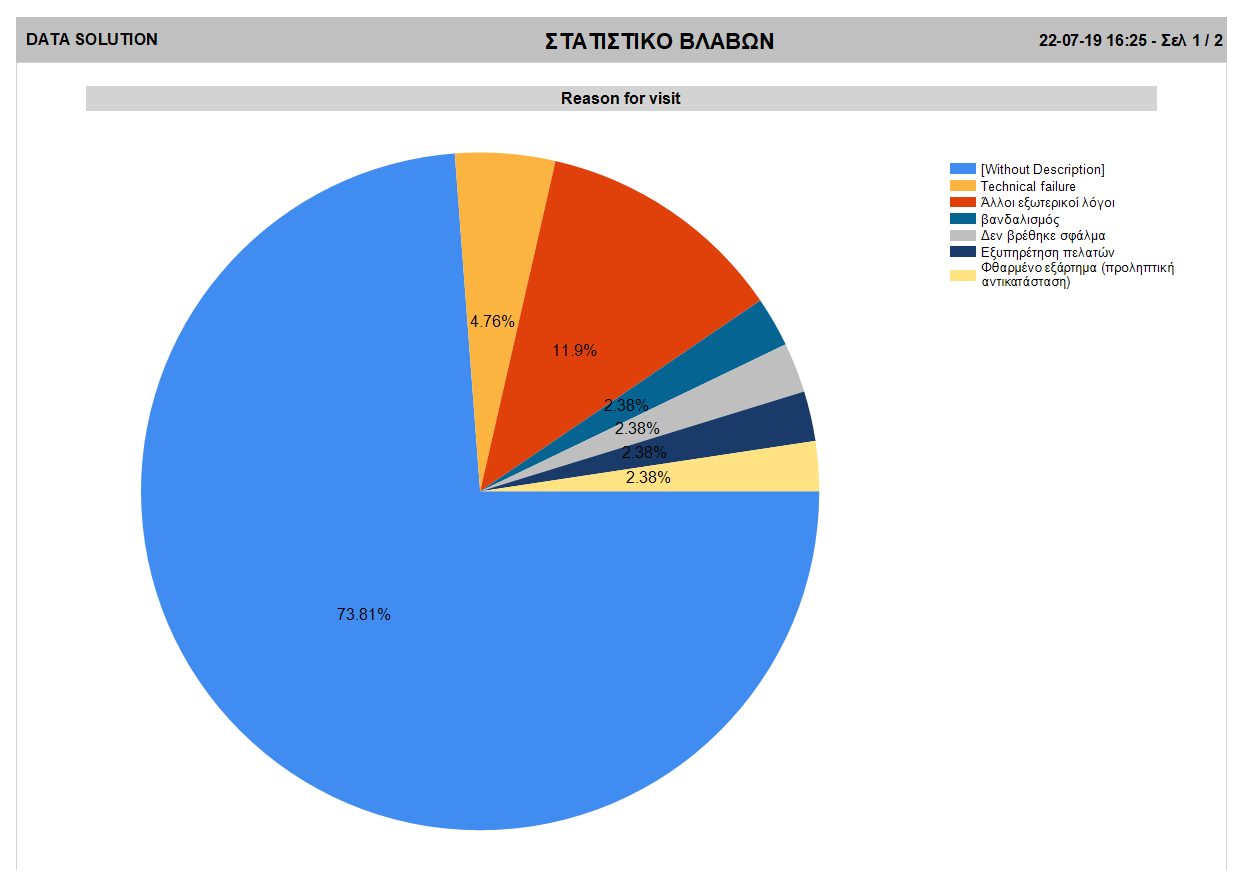
By right clicking on a filter, you can see its statistics in a pie form, by selecting the “Pie statistic” option.
More information on the callout form fields can be found at Callout form.