Reminders does not have any specific structure. It is a way to quickly add some personal events that you may want to remember.
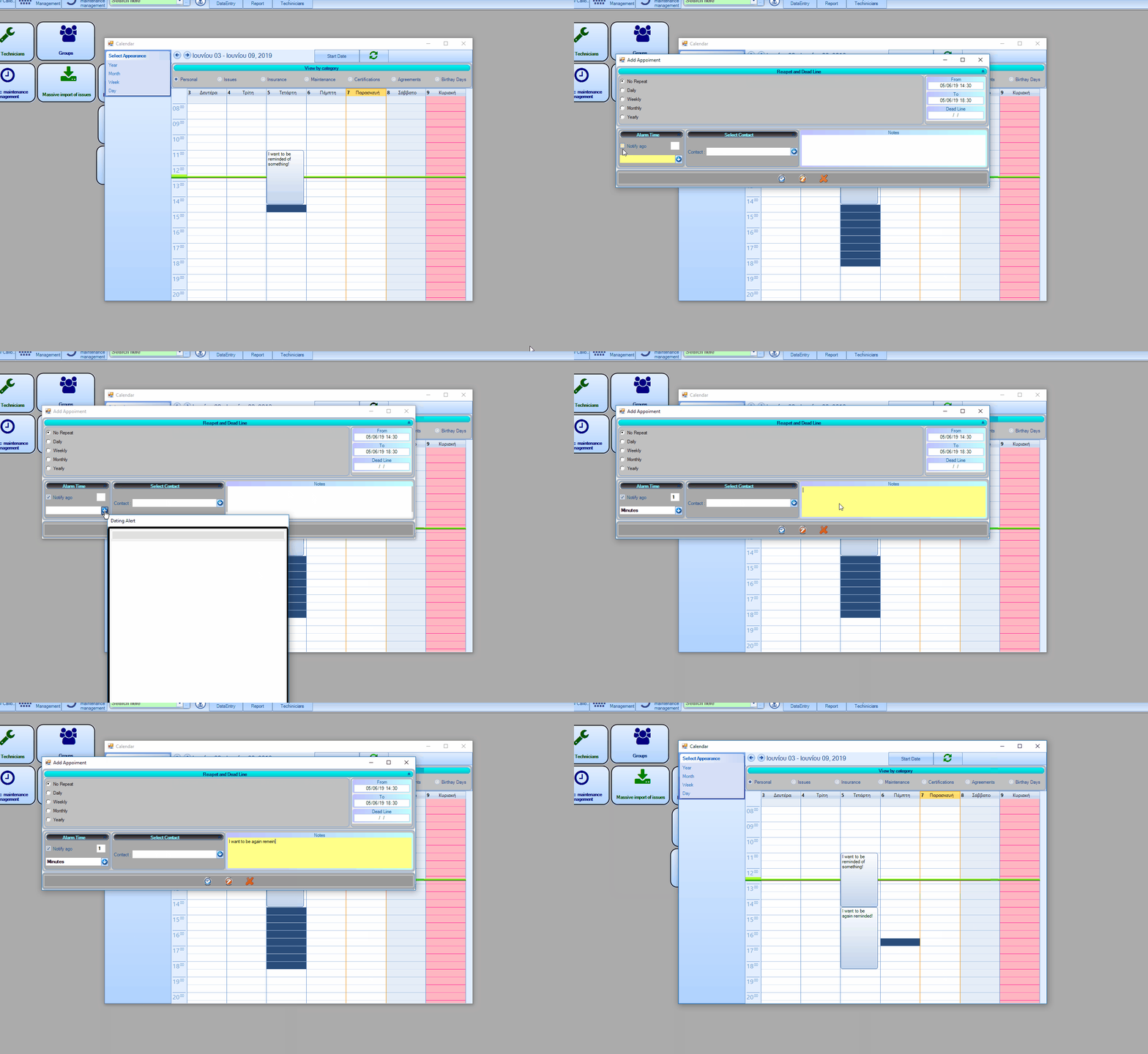
Add a reminder : Click and drag the cursor on the hours cells, then right click and and click add reminder.
From the reminder form you can edit the “from” and “to” times if you want to be more precise.
You can also select to repeat this reminder on some time basis (ex daily, weekly etc)
If you want to be reminded before the event begin use the “time before” field, fill a number on the input and then select the time unit (ex days, months, etc)
Fill in the specific details on the notes and click done
NotificationsReminders will also be displayed on notifications, when the time comes.
Notificationswill also be displayed on notifications, when the time comes.
Maintenances
By selecting maintenances you see the maintenances that have been performed. You can also add a new one by right clicking on the selcted cell.
You can only add maintenances that have been performedthis doesn't work for scheduling maintenances, if you add a maintenance through here it will assume that it has been performed. If you want to schedule a maintenance go to circular maintenance management
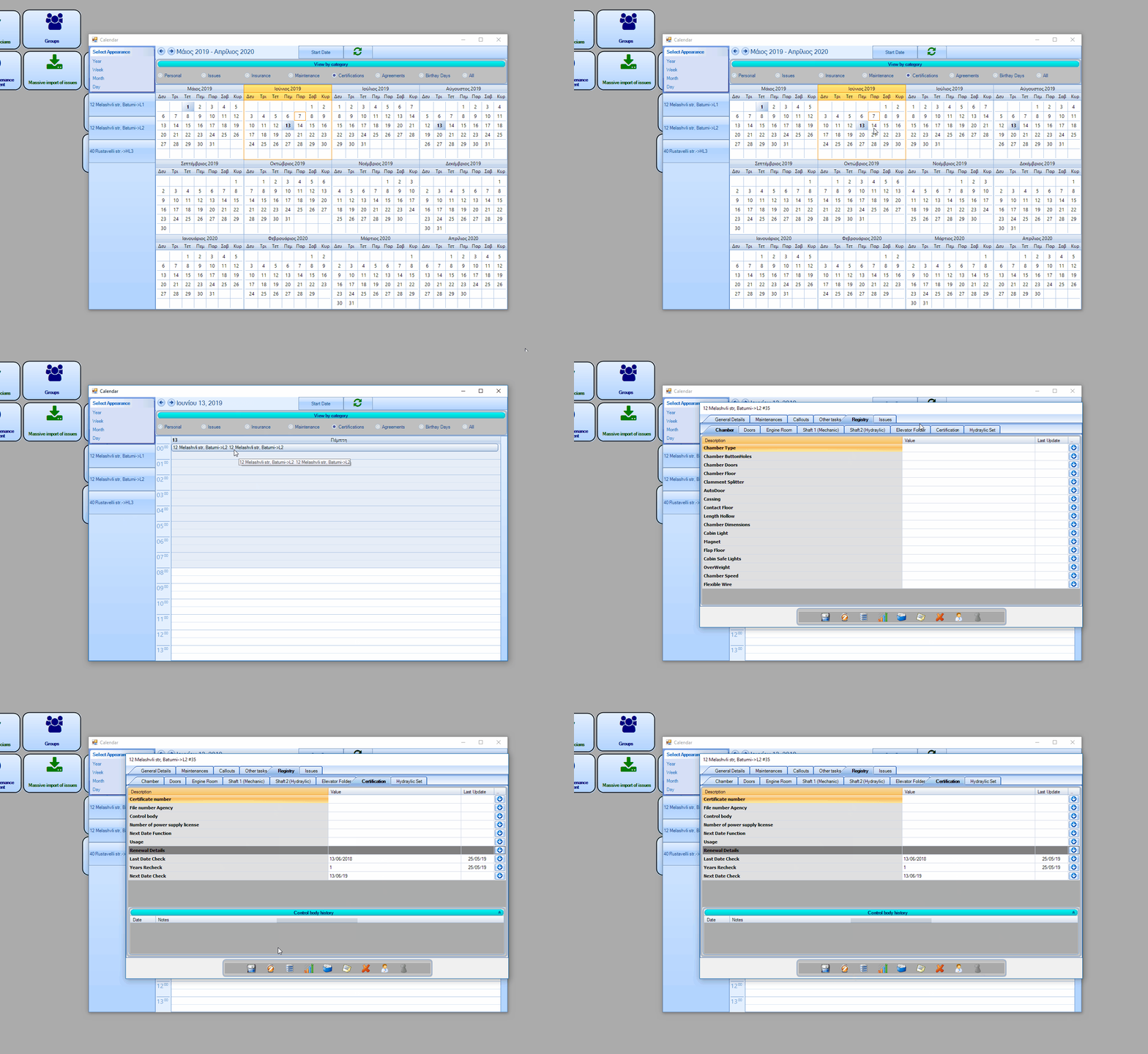
From here you can see the dates that certifications are going to expire. By default the view is on year, and it will high light the days that there are certification that are ending, you can click on the date and see more.
If you want to renew the certification right click within the record click show.
It will open the unit/lift form on the registry tab from there go to the certification tab and add the ammount of years to the years recheck field. For example, if the certification is expiring on 10/8/2019 and the last time that was update was 10/8/2018 the years recheck will as x ammount of years to the last date that was update. So by inputing 2 you will renew it ffor 10/8/2018 (+2) = 10/8/2020. (next year.)
NotificationsCertification expire dates will also be displayed on notifications, when the time comes.
NotificationsReminders will also be displayed on notifications, when the time comes.
Agreements
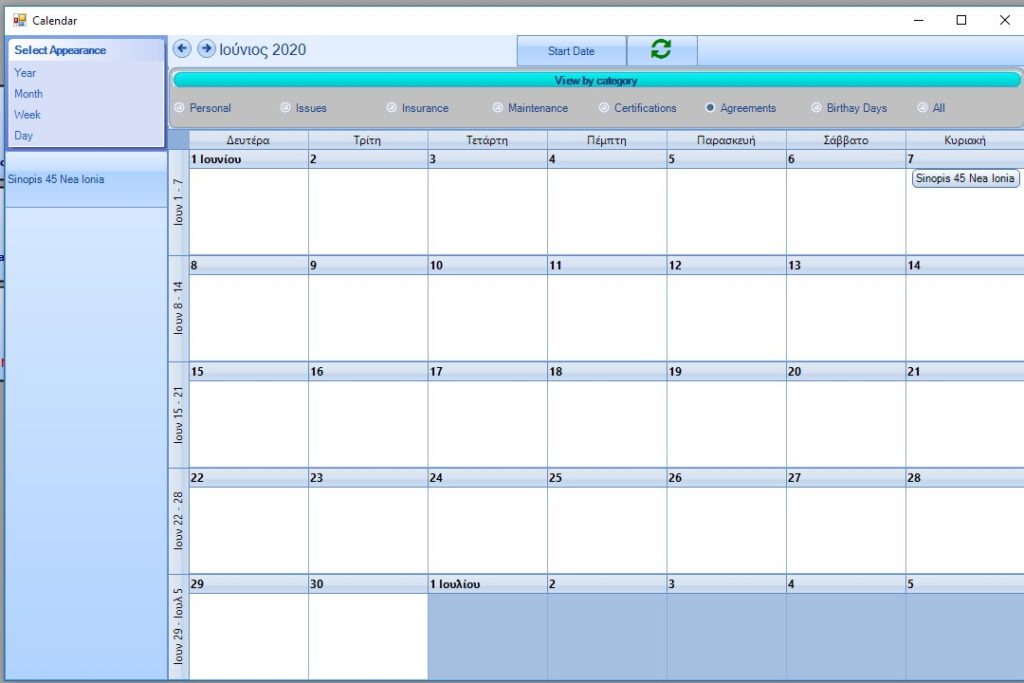
When the agreements are expiring. See more about agreements on Building’s Form